 Oleon
OleonInbox
WhatsApp, Messenger, Instagram, web chat, or Telegram messages.
All in one inbox.
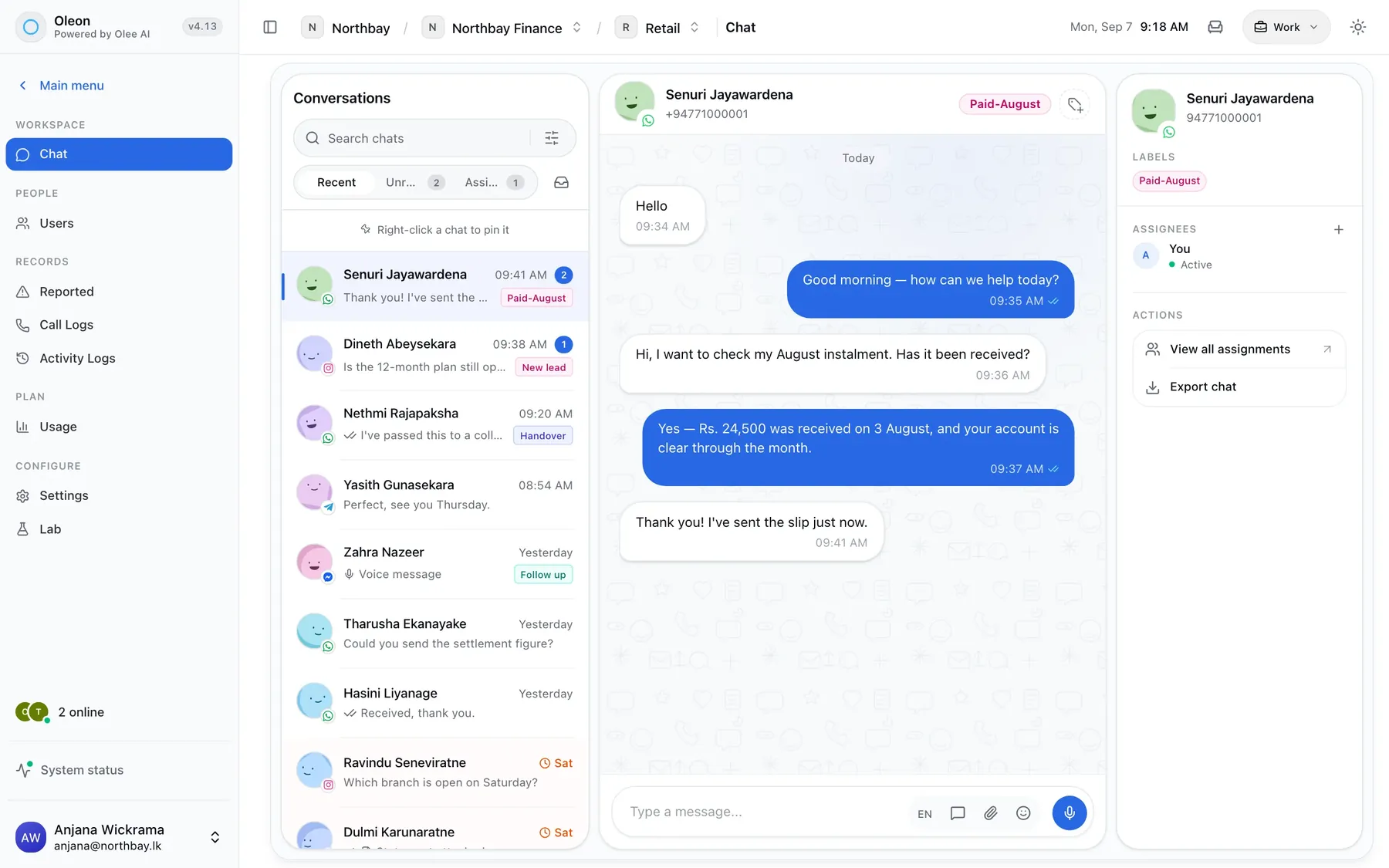
Most shops answer customers on four different apps, on one person's phone. Inbox brings every message onto one screen your whole team can use. Everyone sees who is replying to whom, and no customer gets missed.
All your chats in one inbox. All seven apps, side by side.
In the chat
Every chat, easy to follow.
All of a customer's messages, together.
Three apps, one chat.
Whichever app they write from, you see one conversation. Same history, same labels, same person answering.
7
Apps, one shared inbox.
WhatsApp, Instagram, Messenger, Facebook, Telegram, web chat, and SMS. Your whole team answers them from one list.
See if they read it.
Ticks show when your message arrives and when it is read. You also see when the customer is online. No guessing.
Saved replies
Save your best answers.
Write an answer once and send it with one click. Text, photos and files, in groups that suit your team.
Voice notes and videos, in the chat.
Listen, watch and reply without leaving the chat.
Photos and files stay with the chat.
The receipt sits next to the question it answers. It never gets lost in someone’s phone gallery.
Step away. Nothing gets lost.
Away mode locks the screen and tells your team you are not there. New messages wait, grouped by customer, until you are back.
Know when a customer writes.
Your computer shows a notice for each new message, even when you are looking at another tab.
Teamwork
Share chats. Label them. Find them.
No customer gets missed.
Who is handling it.
Give a chat to someone and everyone sees who has it. No more two people typing the same reply.
Labels.
Coloured labels like ‘Paid’ or ‘Wholesale’. You see who added each one, so the labels still make sense next month.
Find old chats.
Search looks through every message. A chat from a year ago is as easy to find as one from this morning.
Languages
Speaks your customers’ language.
Sinhala, Tamil, English and beyond.
Sinhala and Tamil show properly, never as empty boxes. Type Singlish on an English keyboard and it goes out in Sinhala letters.
Mobile
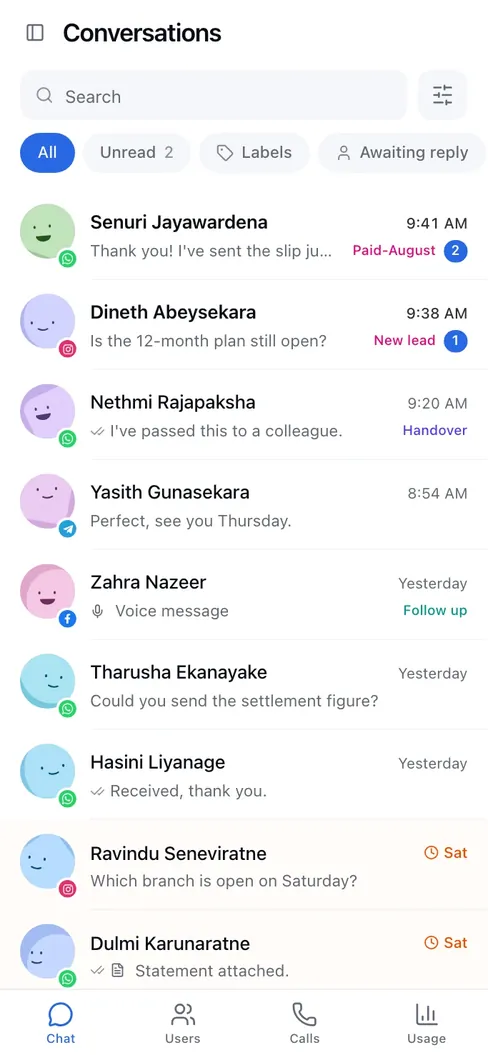
The whole inbox.
In your pocket.
Add Oleon to your phone’s home screen and it opens like an app. Each chat fills the whole screen.
Take a chat in one tap.
If a chat is someone else’s, the notice that says so has a button. Tap it and the chat is yours.
Press and hold a message.
Reply, forward or copy it, just like on a computer.
Tech specs
Everything in Inbox.
- Every app in one inbox
- WhatsApp, Instagram, Messenger, Telegram and website chat
- Step-by-step setup
- A warning before a connection stops
- Give a chat to a team member
- Colour labels
- Icons on labels
- Ready-made replies
- Search every old chat
- See who is online
- Delivered and read ticks
- Forward messages
- Voice notes
- Videos
- Photos and documents
- Type Singlish, send Sinhala
- Away mode
- Alerts on your computer
Questions
Before you ask.
The ones we hear most about Inbox. If yours is not here, the answer is a message away.
Can two staff answer the same customer?
Yes, and you can see who sent each message. To avoid double replies, give the chat to one person. Everyone sees whose it is.
Does it work on a phone?
Yes. Add it to your home screen and it works like an app. One thing to know: it cannot yet alert you when your phone screen is off.
What happens to our chats if we stop paying?
They are kept, and you can download them. We never delete a message a customer sent you.
Keep exploring.
More of what Oleon does.
All productsIt starts with one conversation.
Bring the apps your customers already message you on into one place, and see what the rest of your week looks like.
Not ready to sign up? Join the waitlist and we will come to you.