 Oleon
OleonBulk Messaging
Send one message to all your customers.
Sending a promotion is the easy part. The hard part is ten minutes later, when four hundred people reply. Bulk Messaging sends those replies straight to your Inbox, where your team can answer them.

Ten minutes later
Replies come to your Inbox.
Your team answers them like any chat.
Every reply arrives in your Inbox as a normal chat. It is already given to someone on your team and labelled. You can see which message they are replying to.
Handled like any other chat.
Your team answers the replies in the Inbox they already use. No second app to check.
Who got it
See who got your message.
And who did not.
You see who got it, who read it, and who did not get it. For each one that failed, you see why, so you can do something about it.
Before it goes
Checked before it is sent.
So a mistake never reaches your customers.
Messages WhatsApp approves first.
To message a customer first, WhatsApp must approve your message. You write it here and see if it is approved yet.
See it with a real name.
Pick a customer and read it as they will. Nobody gets a message with a gap where their name should be.
One customer list.
Bring your list in from Excel, or send to people who already messaged you. Both go in the same list.
Tech specs
Everything in Bulk Messaging.
- Send to your whole list
- Pre-approved messages
- Bring in your customer list
- Preview before you send
- Replies land in your Inbox
- Call logs
Questions
Before you ask.
The ones we hear most about Bulk Messaging. If yours is not here, the answer is a message away.
What does sending cost?
WhatsApp charges for each message it sends for you, at its own price, billed separately from Oleon. Our prices are on the pricing page.
Can we message people who never wrote to us?
Only with a message WhatsApp approved, and only if those people agreed to hear from you. These are WhatsApp's rules, and there is no way around them.
Where does the customer list come from?
Upload your own list, or use people who already messaged you. Both go into the same customer list.
Keep exploring.
More of what Oleon does.
All productsIt starts with one conversation.
Bring the apps your customers already message you on into one place, and see what the rest of your week looks like.
Not ready to sign up? Join the waitlist and we will come to you.
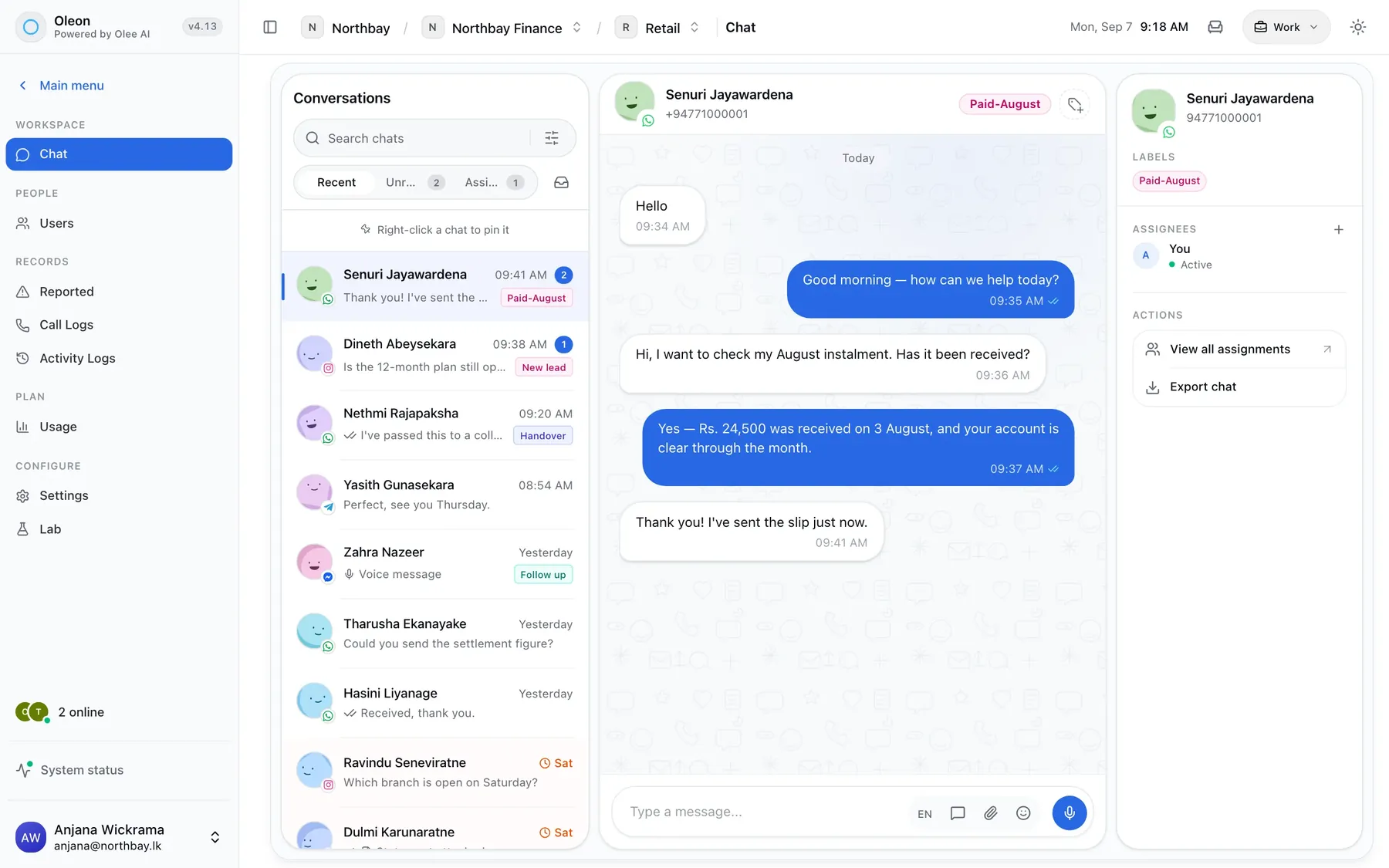
Photo by Burgess Milner on Unsplash