 Oleon
Oleon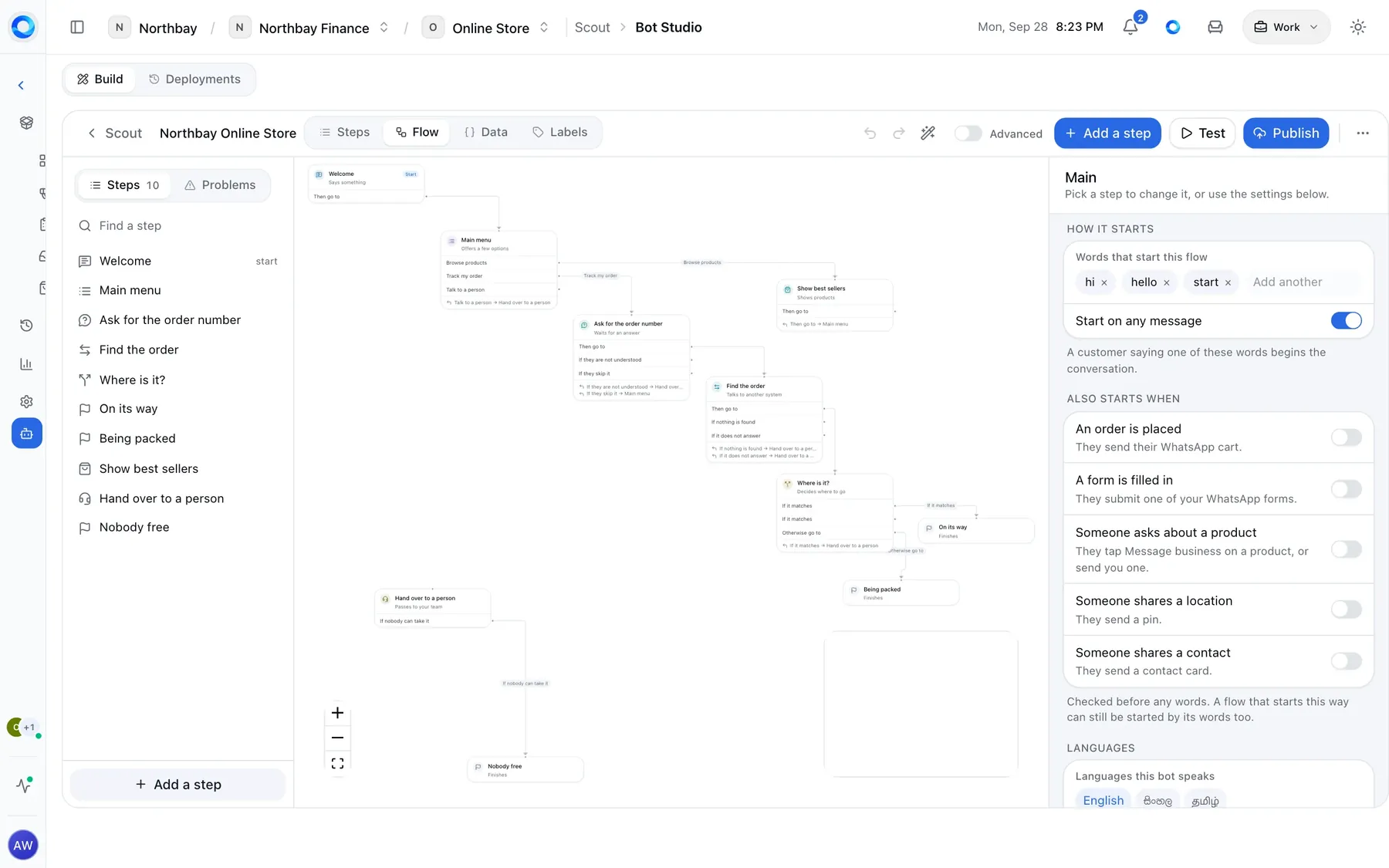



Boxes.
Each box is one thing Scout does: send a message, give choices, ask a question, check something, or look something up.
Scout
Scout replies to customers on WhatsApp, Messenger, Instagram, Telegram and your website while your team is busy. In Bot Studio you draw what it says, box by box, joined by the customer’s answers. Customers see nothing until you switch it on.
Draw your bot, box by box. What it says, and where each answer goes.
How it works
In Bot Studio. You draw boxes. A menu has a line for each choice. A check has one line for found and one for not found. You draw where each one goes.
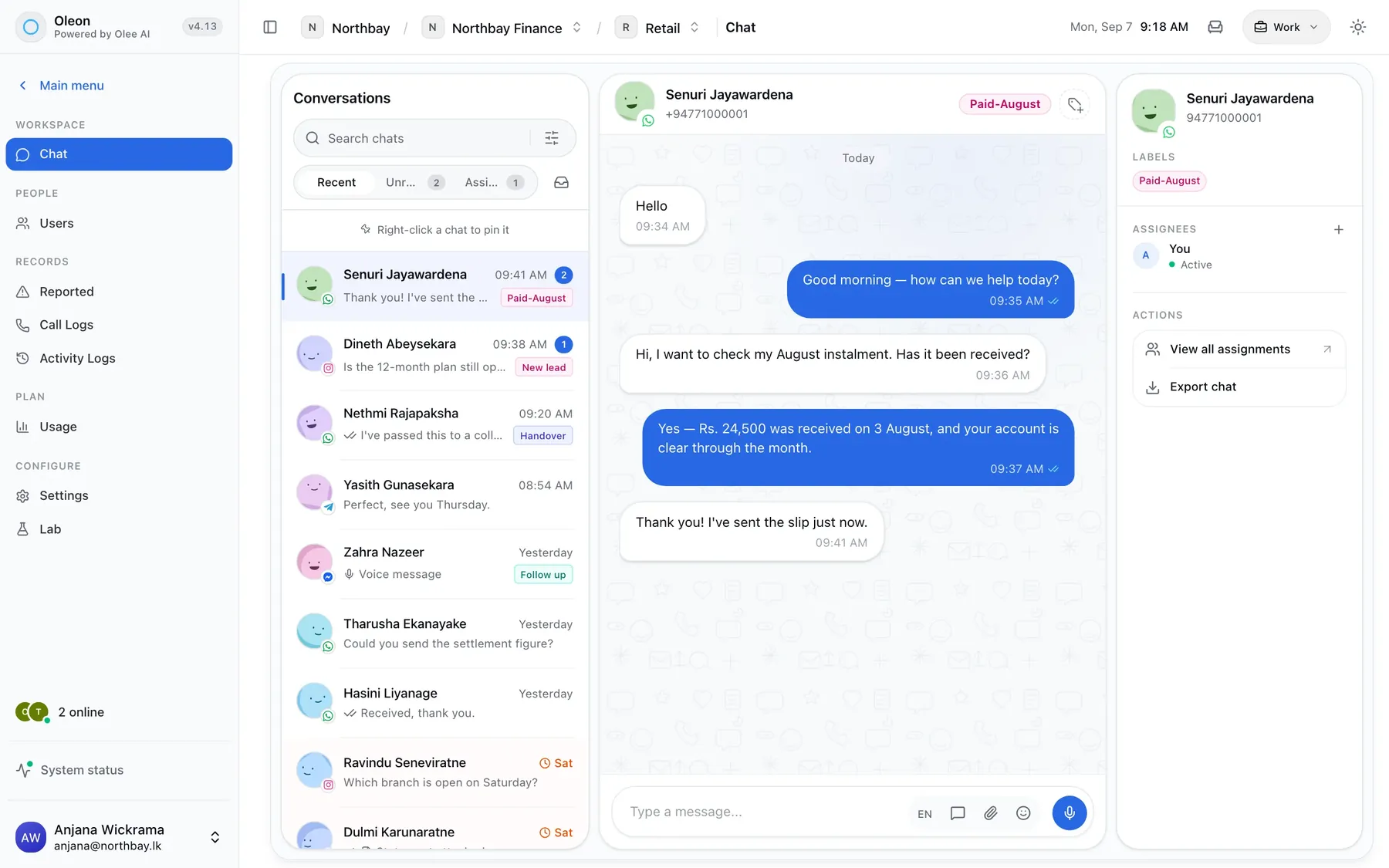
On WhatsApp. What the customer sees: real buttons, and an answer from your own system in seconds, at any hour.
An example conversation. The bot says: Hi! Welcome to Northbay. What can we help with? The customer taps Track an order. The bot asks for the order number, the customer sends 1042, and after looking it up the bot replies: Order 1042 left Colombo this morning. It arrives tomorrow.
Each box is one thing Scout does: send a message, give choices, ask a question, check something, or look something up.
A box can end in different ways, like each button a customer can tap. Draw a line from each one to the box that comes next.
A bot can have several conversations. Draw ‘ask for the address’ once, and every conversation that needs an address uses it.
What it can do
Send a message. Text, a picture, a link, a form or a product, in one go.
Give choices. Up to three buttons, or a list for more. It also understands a typed answer.
Ask a question. A name, a number, an email. The answer is checked and saved.
Check something. Go a different way depending on an answer, a label or the order total.
Remember something. Keep an answer, like their name, and use it in later messages.
Check your own system. Get an order's status from the system you already use, in the middle of the chat.
Show products. One product, a list, a row to swipe through or your whole catalog. Then it waits for the order.
Place the order. The customer's cart becomes a real order in Orders, marked as placed by Scout.
Send a form. A WhatsApp form for an address or a booking. The answers are saved.
Wait for approval. Your team checks the payment slip and adds a label. Then Scout carries on.
Hand over to a person. The chat goes to someone on your team. Scout stays quiet until they finish.
Reuse a part. Draw ‘ask for the address’ once. Use it everywhere you need an address.
Oleon Scout vs popular AI agents
The popular-agent figures are a leading messaging platform’s own published price for its business AI agent from 1 August 2026, US$2 per 1M tokens, about 4–5¢ a message, including delivery. A Scout reply comes from a conversation you drew, so it uses no AI model and no tokens. It costs only the WhatsApp service-message charge for Sri Lanka, US$0.002 a reply, from 1 October 2026. Rates differ by country. Prices as of 28 September 2026.
Getting started
A customer says hi and your welcome chat begins. They order from your catalog and your order chat takes over. It already knows what is in their cart.
Languages
Each box holds its words in every language your bot speaks. The customer picks one at the start, and the whole chat stays in it.
Switching it on
Spot mistakes before customers do.
A box with nowhere to go, a form that is not ready, a product WhatsApp will not show. You see each one, and the box it is in, before you switch it on.
Talk to it first.
Chat with your bot in the Test panel. It works exactly as it will on WhatsApp. Send it an order or a form, and try every path.
Go back to an older version.
Each time you switch on changes, Oleon keeps a copy and asks you first. If the new one is wrong, switch the last one back on.
Tech specs
Questions
The ones we hear most about Scout. If yours is not here, the answer is a message away.
No. You build it all by drawing. You only need a developer if the bot has to check your own system, like your stock.
Yes. Try it on screen first. One warning: if your test places an order, that order is real.
Scout says exactly what you wrote, word for word. AI answers in its own words, using the information you gave it. Both reply in the Inbox, and both can pass a customer to your team.
Bring the apps your customers already message you on into one place, and see what the rest of your week looks like.
Not ready to sign up? Join the waitlist and we will come to you.